How do I scan the QR Code on the bookable seats?

Access the Seat Booking System via
1.NLB Mobile App
a. Navigate to Discover on bottom of screen
b. Select Seat Booking.
or
2. go to https://www.nlb.gov.sg/seatbooking/
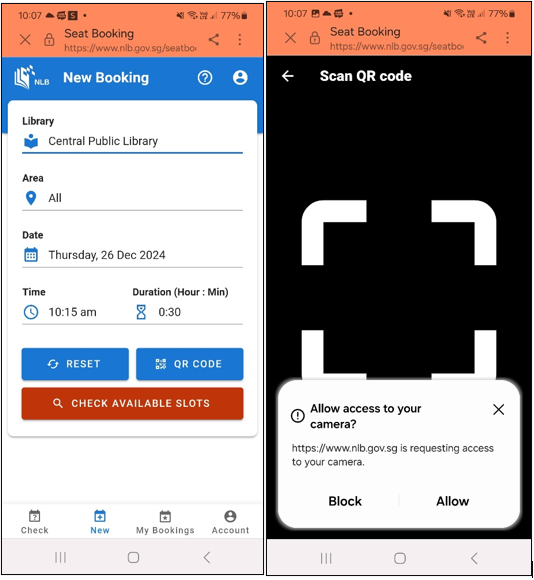
c. On the New Bookings screen, select QR Code.
d. Click on Allow to grant access to the camera.
e. Scan the QR Code.
Related questions

Need more help?
Get in touch