How do I create a Singpass passkey?

You can create your passkey in the Singpass app on your mobile device. Passkey is currently available for iOS devices only. We are working to support Android devices and will update when it is ready. You can refer to this article for supported devices and browsers.
If you are using iOS 17.4:
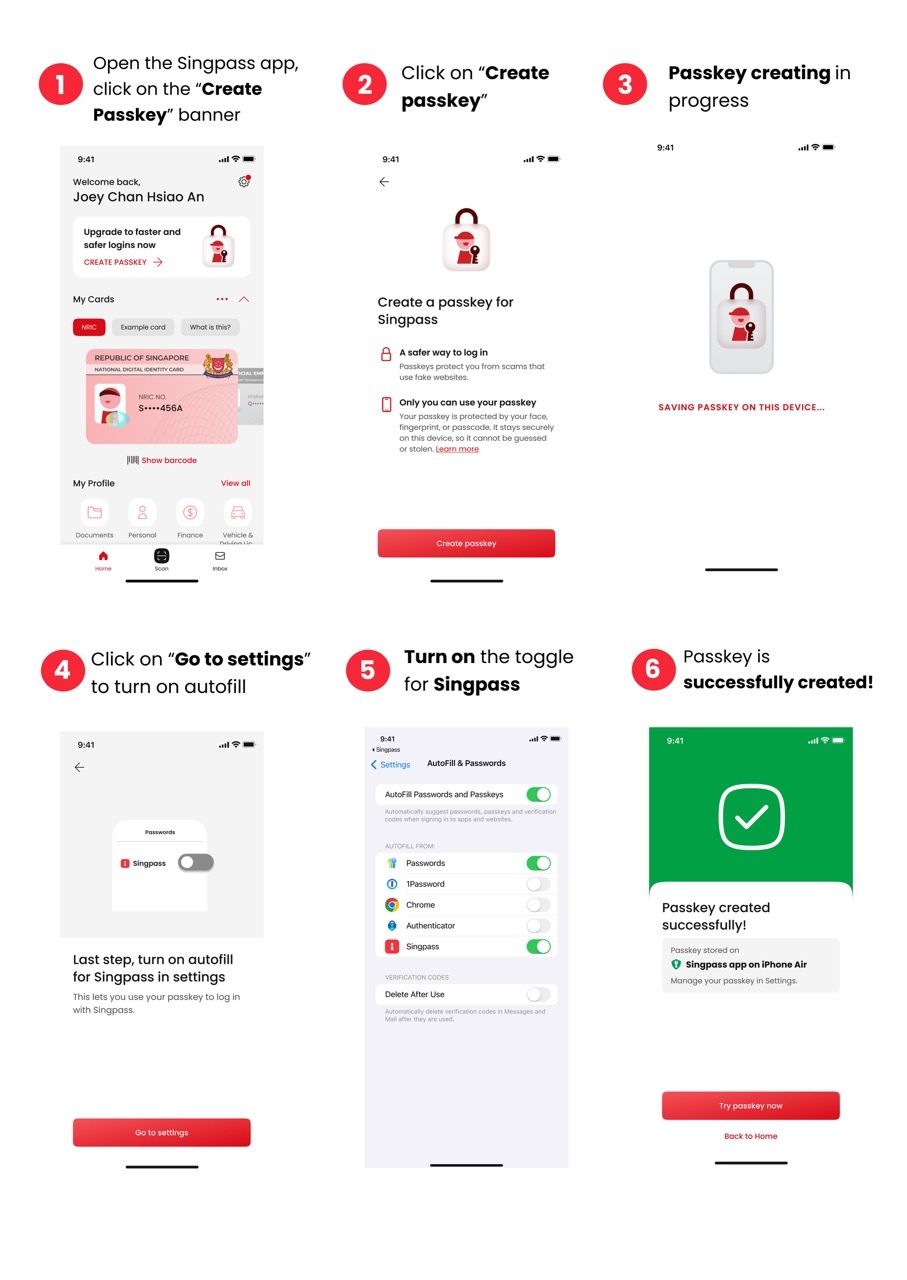 Follow the steps below:
Click on the “Create passkey” banner
Click on “Create passkey”
Click on “Go to settings” to turn on autofill
Turn on the toggle for Singpass and passkey is now successfully created
If you are using iOS 18 and above:
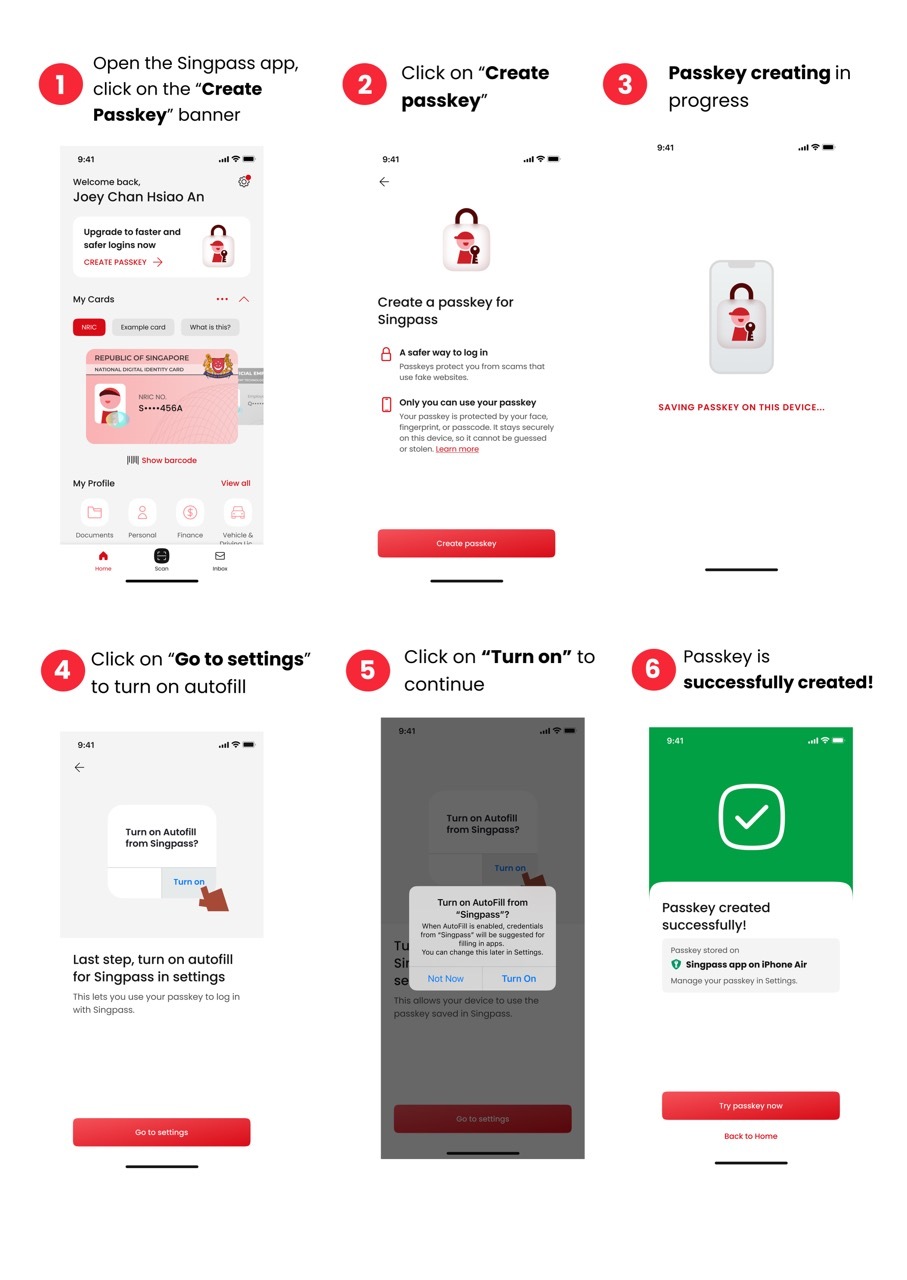 Follow the steps below:
Click on the “Create passkey” banner
Click on “Create passkey”
Click on “Go to settings” to turn on autofill
Click on "Turn on" and passkey is now successfully created
Related questions

Need more help?
Get in touch